| |
| |
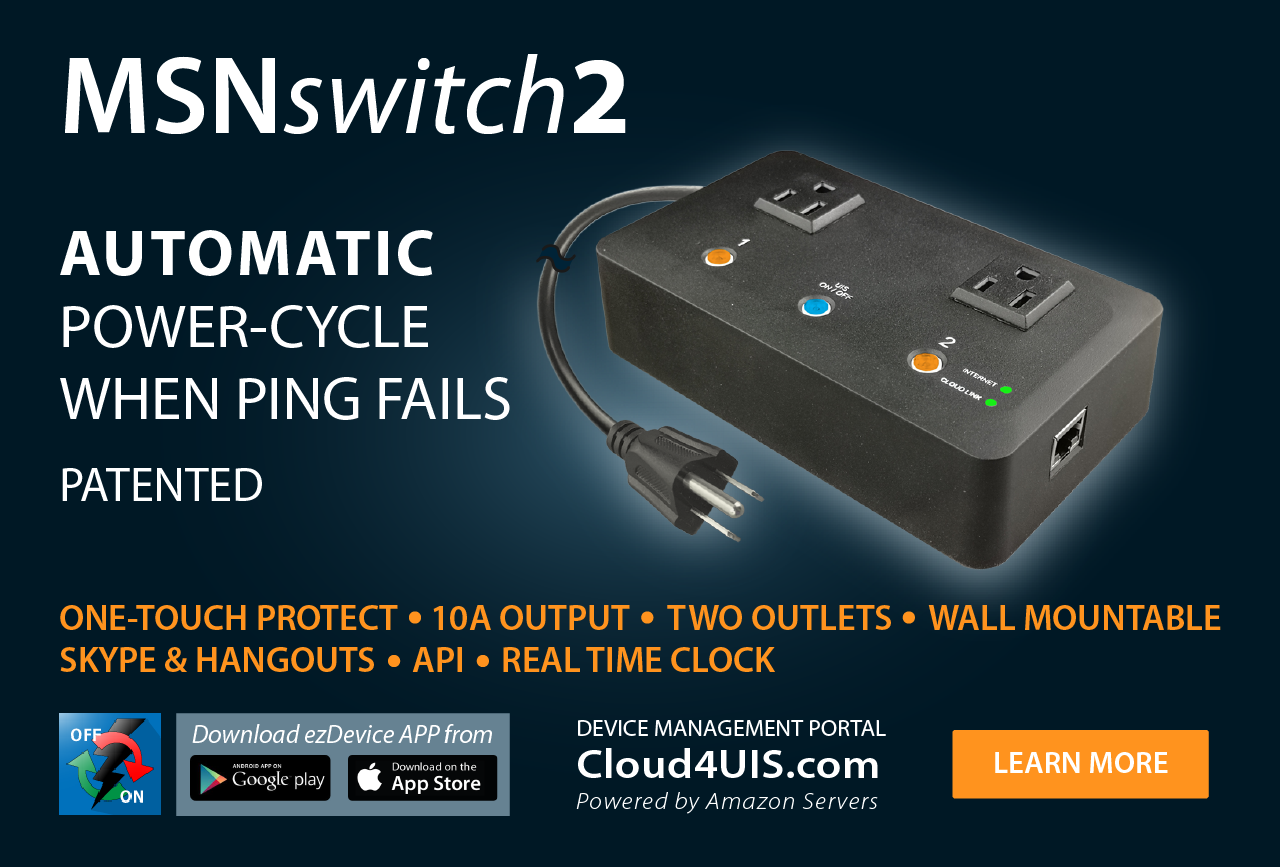
MSNswitch is designed to automatically power-cycle any device when internet connectivity is lost. This is useful if your broadband / cable / ADSL connection drops, and all you need to do is reset the router to re-gain connectivity. MSNswitch does this automatically. It can reset the router for you, without anyone having to visit the location and manually doing it. |
| To set up, all you have to do is; |

(Click here to see setup for UIS-311, UIS-322 models) |
|
| |
| Hardware Specification |
| Model NO. |
UIS-311 |
UIS-315 |
UIS-322x |
UIS-322 with RF |
| Image |
 |
 |
 |
 |
| RF Module |
n/a |
n/a |
n/a |
Built-in RF transceiver &receiver (315/433Mhz) |
| Socket type |
3x Schuko socket (Type F, CEE 7/4) |
3x North American (Type B, NEMA 5-15R) |
2x of either; a) Universal socket b) British(Type G, BS1363, MS589, SS145) c) French(Type E, CEE7/5) d) Australian/China(Type I, AS/NZS3112, CCC) e) North American(Type B, NEMA 5-15R) |
| Electrical Rating |
10A, 250VAC, 2300 Watts |
10A, 125VAC, 1875 Watts |
10A, 125~250Vac (50/60Hz) |
| Surge Energy Joule Rating |
918J |
540J |
n/a |
| Clamping Voltage |
775V |
400V |
n/a |
| Max Peak Spike Current |
12,000Amps |
12,000Amps |
n/a |
| Surge Protected Indicator |
Yes |
Yes |
n/a |
| Surge Protection Failure |
Surge Circuit Shut Down & Auto Power Shut Down |
n/a |
|
| |
| For Product Software or Firmware Updates goto: Netility | Latest Firmware |
| |
| Document |
Description |
Version |
Dated |
Size |
| Brochure |
For UIS311/315/322 |
-- |
30th Dec. '09 |
881KB |
Quick Installation Guide (ENG) (CHT) (CHS) |
For UIS311 |
-- |
10th Jun. '10 |
-- |
Quick Installation Guide (ENG) (CHT) (CHS) |
For UIS315 |
-- |
10th Jun. '10 |
-- |
Quick Installation Guide (ENG) (CHT) (CHS) |
For UIS322 |
-- |
10th Jun. '10 |
-- |
User Manual (ENG) (CHT) (CHS) |
For UIS311/315/322x |
-- |
10th Jun. '10 |
-- |
ENG=English, CHT=Chinese Traditional, CHS=Chinese Simplified |
|
| |
| Latest Netility Software |
| Version |
Release Note |
Release Date |
Size |
Netility v4.4  |
FIXED: Bugs related to HTTP & HTTPS settings. |
9th Mar. '10 |
2.73MB |
|
| |
| Latest Firmware |
| WARNING! |
BEFORE PERFORMING FIRMWARE UPGRADE, goto your Web User Interface under "Information --> System Status" to check which is the suitable firmware for your unit.
- Your unit Hardware Version is: UIS311 or UIS315
- Write down your units current Firmware Version. Select the latest firmware below that match the items in bold with your units current firmware.
- Use the latest Netility program to perform the upgrade.
|
|
|
| |
| |
 |
Product Images |
 |
|
|
|
|
|
|
| MSNswitch will automatically ping five different preset target, which can be changed, and if they are unreachable, MSNswitch will power-cycle the power outlets. |
Main use for MSNswitch includes:
- Home users who have to manually power-cycle their router to re-gain internet connectivity.
- Resetting unresponsive device (for instance IP camera or NAS servers) which otherwise will be inaccessible from remote.
- IT Professionals who need to automatically or remotely reset devices.
- Preventing your connection from timing out or going dormant.
- Having devices on an automatic power schedule [Ex: Turn on at 9am & turn off at 5pm].
While the main feature is very simple (and will be the only feature most customers will use), the device does have some more advanced features:
- Web Interface - Allows you to monitor status, view logs, and change advanced settings & configurations via web browser. Easy access in LAN by typing //MSNswitch.
- Power Scheduling - Up to 20 schedules may be set to turn power on/off to specific ports at specified times.
- Timed Power-Cycling - Automatically power cycle power ever X mins (1-1440).
- Event Logs - To keep track of when the unit had to reset power etc.
- Dynamic DNS Support & Remote Admin - Allows customers to login via the web to access controls, view logs, and remotely turn on/off power to specific ports or reset power.
- MSN Messenger Support - Sends you notifications and allows you to issue commands to check the status, as well as turn on/off power or power-cycle certain ports via MSN Messenger. (AIM & Yahoo support coming soon!)
- Advanced Network Configuration - Allows you to setup to obtain a static IP address and use different DNS servers, and change HTTP web admin interface port.
- Save/Restore Configuration - Allows you to save your configuration, and easily restore the configuration. Good for customers who are purchasing multiple units, as they can create a configuration file and apply it to all of their units instead of manually configuring each unit.
For more complete information of MSNswitch features please click here.
|
| |
| Model NO. |
UIS-311 |
UIS-315 |
UIS-322x |
UIS-322 with RF |
| Fuse Type |
Resettable Fuse |
Resettable Fuse |
10A Thermal Fuse |
| Available Outlets |
2x fixed, 1x swivel |
1x fixed, 2x swivel |
2x fixed |
| Internet Controllable socket |
2x fixed |
2x swivel |
2x fixed |
| Power ON / OFF switch |
n/a |
Main power ON / OFF switch |
Individual outlet power ON / OFF LED button (Press & hold 2 seconds) |
| Power Indicator |
Green LED |
Green LED |
Orange LED |
| Reset to Factory Default |
n/a |
n/a |
Long press all 3 LED buttons |
| Internet Indicator |
Red LED |
Red LED |
Green LED |
| Web Server CPU |
32-Bit RISC CPU |
| Supported browser |
IE and Java |
| Supported Network Protocols |
HTTP, TCP/IP, UDP, SMTP, PPPoE, Dynamic DNS, DNS Client, SNTP, BOOTP, DHCP, FTP, SNMP. |
| Network Access |
10/100 Base-T , RJ45 (Cat.5) |
| Operating Environment |
0°C ~ 60°C at 10% ~ 90% relative humidity. For indoor use only. |
| Package |
White / Color Box |
|
| LED Functions |
| Model NO. |
UIS-311 |
UIS-315 |
UIS-322 |
| Internet controllable outlets ON |
Green LED ON |
Green LED ON |
Orange LED button ON |
| Outlet 1 ON, Outlet 2 OFF |
Green LED blinks slowly |
Outlet 1 LED ON, Outlet 2 LED OFF |
| Outlet 1 OFF, Outlet 2, ON |
Green LED blinks slowly |
Outlet 1 LED OFF, Outlet 2 LED ON |
| System in Protect Mode (UIS On/Off button pressed) |
Red LED ON |
Red LED ON |
Blue LED ON |
| No Internet Connection |
Red LED OFF |
Red LED OFF |
Blue LED Off |
| Internet is Online |
Red LED Blinking |
Red LED Blinking |
Blue LED Blinking |
|
To Upgrade your Firmware:
- Download the appropriate firmware.
- Unzip and place the .bin file on your desktop.
- Run the latest Netility program from a PC in the same LAN / network as the iCAMView server.
- Select your unit, click Upgrade Firmware. Wait for the process to complete, and click Cancel (i.e. done).
|
| Version |
Release Note |
Release Date |
Size |
2.40.MNS.0620  |
Only for models: UIS322  |
15th Jul. '10 |
430KB |
2.40.UIS.0620  |
For models: UIS315 and UIS311  |
15th Jul. '10 |
413KB |
| |
| 2.40.DP520.2UIS.9c10 |
This firmware is required if you need to upgrade from the old firmware type 2.40.DP520.UIS.xxxx to 2.40.UIS.xxxx |
30th Dec. '09 |
545KB |
|
| |
Current Firmware Release Notes:
- FIXED: MSN sometimes will drop out or disconnected.
- FIXED: Unit Web UI becomes unresponsive if internet connection remains disconnected after a long period. It will still show up on Utility but will not respond.
- FIXED: Removed NetAgent text from the UI.
- CHANGED: DNS resolve and PING sequence. All 5 sites PING'd simultaneously.
|
| PREVIOUS releases: |
For 2.40.MNS.0318 (released 8th Apr. '10); 2.40.UIS.0318:
- IMPROVE: iCV99 DNS update time.
- FIXED: Problem with javascript resulting in webpage not loading correctly / fully has been fixed.
- ADDED: Option to assign the individual outlet reset interval between 1~120 sec.
- ADDED: Button to manually update Time Server.
- FIXED: Problem with MSN messenger not responding. This was due to case sensative text box on MSN UI page.
|
For 2.40.MNS.0225 (released 10th Mar. '10); 2.40.UIS.0225:
- NEW: Redefined the 'reset' function. Now the Outlet will only 'reset' IF it is ON. If the Outlet is originally OFF, it will not 'reset'. This is more specific to model UIS322, but also applies to UIS315.
- NEW: Ability to define which outlet will 'reset', if internet disconnects. See UIS configuration --> Outlet Setup.
- NEW: Support ddns.iCV99.net. This is an automatic process and is free. MSNswitch will automatically register a free domain name with ddns.iCV99.net. Each pre-registered domain name is assigned based on (serial number).iCV99.net. The free domain name is listed under Information --> System Status --> Free Domain Name. User can also click the link to login to ddns.iCV99.net to change the pre-assigned domain name.
- NEW: Included Dynamic DNS 'status'. Under Information --> System Status --> Free Domain Name. The status will be shown directly in the field. Either connected (in which case it will show the domain name), or not reachable, etc...
- NEW: Web UI
- NEW: Functions on the left column are now expanded by default, and are no longer collapsable.
- NEW: WEB UI can now support multi-language. Now includes, Chinese (traditional and simplified), Spanish and Portuguese.
- NEW: Information --> Current Status. Page refresh is now default to 1 second, automatically.
- NEW: Information --> Current Status > Connect Status. Now will automatically show the IP address of target address.
- NEW: Information --> Current Status > Outlet Status and Control. Option to reset individual outlet. Reset option will not be available if outlet is set to OFF. Note: if either Outlet 1 or 2 is off, the "Reset All Outlets" button will only reset the Outlet that is still ON.
- NEW: Dynamic language. Language selection is not customizable to individual user's preference. Previously, it is fix on unit that means different user will see the same language.
- NEW: Logs --> Event log. The event log is now set to 'Manual'. Automatic refresh has been removed. User can now categorize the event type.
- EDIT: Text & sentence editions.
|
|